

Key Takeaways
- Streaming requires a consistent internet connection; downloading removes that dependency entirely.
- Most major platforms cap downloads by time limits, device counts, or title availability.
- Downloading uses device storage but can save significant mobile data on the go.
- Some content - especially live or ad-supported programming - cannot be downloaded at all.
- Choosing between the two is often situational, not a permanent either-or decision.
Option A
Streaming
The always-connected, instant-access approach.
Best for: Viewers with reliable internet who want the full library at their fingertips without managing storage.
Option B
Downloading for Offline Viewing
The prepared, connection-independent strategy.
Best for: Travelers, commuters, or anyone who regularly encounters spotty or expensive data connections.
If you travel frequently by plane, train, or car
Downloading for Offline Viewing
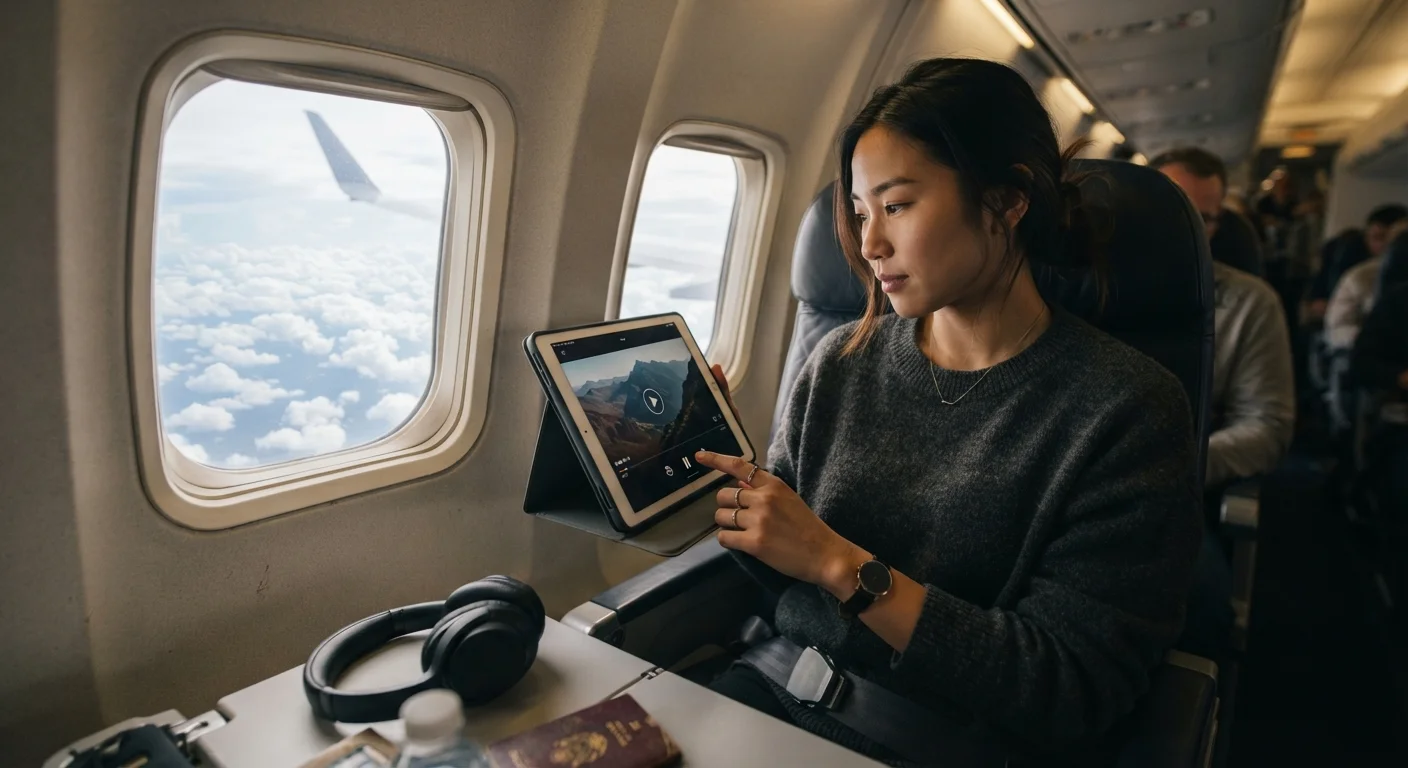
Connectivity in transit is unreliable and often costly. Downloading before you leave guarantees uninterrupted playback with no buffering surprises.
If you watch at home on a strong broadband connection
Streaming
Streaming lets you access the full library instantly without occupying device storage or worrying about download expiration timers.
If you're on a limited mobile data plan
Downloading for Offline Viewing
Pre-downloading over Wi-Fi means you won't burn through your data allowance watching high-resolution video on the go.
If you want to watch live events or news
Streaming
Live content is inherently real-time and cannot be pre-downloaded - streaming is the only viable option here.
If you live in an area with inconsistent home internet
Downloading for Offline Viewing
Downloading during strong connection windows lets you watch without frustrating interruptions when your signal drops.
How the Two Approaches Actually Work
When you stream a movie or TV episode, your device receives a continuous flow of video data over the internet in real time. Stop the connection, and playback stops with it. The experience is instant - but entirely dependent on network quality. If you've ever battled buffering wheels mid-climax, you already know the downside. Our guide on streaming on a slow internet connection explores how bandwidth limitations affect picture quality and what you can do about it.
Downloading, by contrast, transfers a complete copy of the file to your device before you press play. Once stored, no internet connection is needed. Most major streaming services - including Netflix, Disney+, Amazon Prime Video, Apple TV+, and Max - offer download features, but they come with important caveats: titles expire after a set period (often 30 days, or 48 hours once you've started watching), downloads may be limited to specific devices, and not every title in a platform's library is available to download.
| Criterion | Streaming | Downloading |
|---|---|---|
| Internet required | Yes, continuously | Only during download |
| Instant access | Yes | No, requires prep time |
| Mobile data usage | High during playback | Only during download |
| Device storage needed | Minimal | Significant (2-6 GB per title) |
| Content availability | Full library | Limited subset of titles |
| Expiration limits | None | Yes (typically 30 days / 48 hrs) |
| Live content supported | Yes | No |
| Ad-supported tier access | Usually yes | Rarely available |
When Offline Viewing Is the Smarter Call
The strongest case for downloading is any situation where internet access is unreliable, expensive, or nonexistent. Flights are the clearest example - in-flight Wi-Fi is inconsistent and can be costly. Long road trips, international travel with limited roaming, camping trips, and long subway commutes all share the same challenge: connectivity gaps you can't control.
There's also a data-usage argument. Streaming an hour of HD video can consume 3 GB or more of mobile data. Downloading that same content at home over Wi-Fi costs you nothing on your data plan. If you're on a capped plan, strategic downloading can make a meaningful difference. For a broader look at the factors worth evaluating before committing to any platform, see our streaming platform checklist.
3+ GB
Mobile data per hour of HD streaming
According to general industry estimates, streaming HD video over a mobile connection typically consumes 3 GB or more per hour depending on resolution settings.
30 days
Typical download expiration window
Most major platforms set a 30-day limit on stored downloads before the file must be renewed, with a shorter 48-hour window once playback begins.
85%
US adults who use at least one streaming service
Pew Research Center has consistently found streaming adoption among American adults to be high, with the majority subscribing to at least one paid service.
The Real Limitations of Downloading
Offline viewing isn't without friction. Storage is the most immediate constraint - a single HD film can occupy 2-6 GB of device space, and most phones and tablets have finite room. Managing downloads means actively deleting older content to make room for new titles.
Platform restrictions add another layer of complexity. Downloads are generally tied to DRM (Digital Rights Management) systems, meaning you can only watch them inside the platform's official app. You can't transfer a downloaded Netflix episode to a USB drive or share it across accounts. Download limits vary widely - some services allow only a handful of simultaneous downloads per account, and premium subscription tiers sometimes unlock higher limits.
Ad-supported and free streaming tiers typically don't offer downloads at all, which is one of the structural trade-offs worth understanding. Our piece on the hidden costs of free streaming services covers what viewers exchange for zero-dollar access.
Downloads Are Tied to Your Subscription
If your subscription lapses or you cancel a service, downloaded content typically becomes unplayable immediately - even if the expiration date hasn't passed yet. This is a function of DRM, which checks your account status before unlocking locally stored files. It's worth keeping in mind if you're planning to pause or cancel a subscription after a heavy download session.
Making the Right Call for Your Viewing Habits
For most people, the answer isn't one or the other - it's knowing when to use each. Streaming is ideal when you're home on a solid connection, browsing casually, or watching live content. Downloading makes sense the night before a flight, at the start of a road trip, or any time you know connectivity will be scarce.
A simple habit: before any travel, scroll your watchlist and queue up a couple of episodes or a film. Most platforms make this a one-tap process. Just mind the expiration clock - downloads don't last forever, and there's nothing more deflating than discovering your carefully prepped content expired the morning you needed it. Small oversights like these are the kind of thing our streaming experience guide addresses in practical detail.
The bottom line: offline viewing isn't a workaround - it's a legitimate feature that platforms have built into their core offerings precisely because connectivity isn't always a given. Treat it as a tool in your entertainment toolkit rather than an afterthought.