

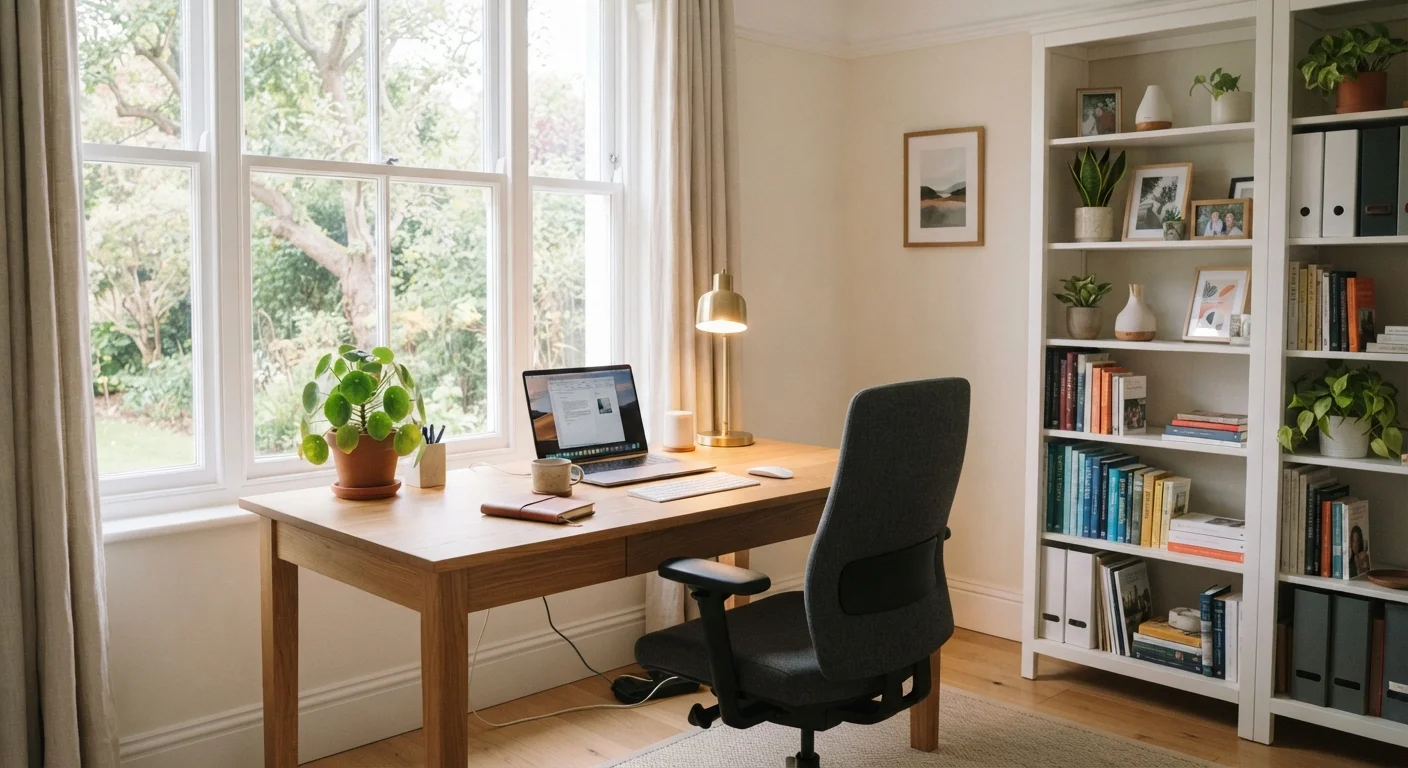
Key Takeaways
- Ergonomic seating and desk height adjustments can significantly reduce physical strain during long work sessions.
- Lighting quality-both natural and artificial-directly affects eye strain, mood, and concentration.
- Acoustic improvements like soft materials and door seals help reduce distracting noise without major construction.
- Dedicated storage and cable management keep a workspace visually calm and mentally easier to use.
- Temperature and air quality in a small office space have a measurable effect on daily comfort and alertness.
Why Your Home Office Setup Deserves Real Attention
A home office is no longer a guest room afterthought. For millions of Americans who work remotely full-time or on a hybrid schedule, it's a primary workplace-and the way that space is set up has real consequences for productivity, physical health, and mental stamina.
Unlike a corporate office, your home workspace is something you can actually shape around your own needs. That flexibility is powerful, but it also means the defaults-a folding table, a dining chair, a bare bulb overhead-are rarely optimized for sustained work. The upgrades below don't require a full renovation. Most are straightforward improvements that address the specific friction points remote workers encounter every day.
If you're thinking about your home room by room, see our guide to room-by-room upgrade priorities to understand where a home office fits relative to other spaces.
Invest in a Chair That Supports Your Posture All Day
The chair is the single most consequential piece of furniture in a home office. A chair without proper lumbar support, adjustable armrests, and seat depth options forces compensatory postures that accumulate into back, shoulder, and neck pain over months of use.
When evaluating seating, focus on adjustability: lumbar support height, seat pan depth, armrest height and width, and recline tension. These factors matter far more than material or appearance. If a fully ergonomic chair isn't in your current budget, a lumbar support cushion added to an existing chair is a meaningful interim step.
Adjustability-not appearance-is what makes a chair genuinely ergonomic.
Set Your Desk Height to Match Your Body
Standard desk heights are designed around a statistical average that doesn't reflect everyone's actual proportions. When a desk is too high or too low, it forces your arms, shoulders, and neck into strained positions for hours at a time.
A seated desk should allow your elbows to rest at roughly a 90-degree angle with your forearms parallel to the floor. A standing desk-or a sit-stand converter placed on top of an existing desk-lets you alternate positions throughout the day, which many occupational health researchers associate with reduced fatigue. Verify your local building codes if you're planning any structural modifications to accommodate a built-in desk setup.
Alternating between sitting and standing throughout the day helps reduce fatigue.
Layer Your Lighting to Eliminate Glare and Eye Strain
Overhead lighting alone creates harsh shadows and uneven illumination across a work surface. A layered approach-ambient light for the room, task lighting at the desk, and bias lighting behind any screen-reduces eye strain and keeps energy levels more consistent.
Position your monitor perpendicular to windows rather than directly facing or backing them. This minimizes glare without blocking natural light entirely. For artificial task lighting, adjustable color temperature is helpful: cooler, bluer light supports alertness during focused work, while warmer light is easier on the eyes during video calls or reading.
Monitor placement perpendicular to windows prevents glare without sacrificing natural light.
Reduce Noise Intrusion with Targeted Acoustic Fixes
Sound bleed from other parts of the house-or from outside-is one of the most common complaints among people working from home. You don't need soundproofing foam tiles to make a meaningful difference. Simple, aesthetically neutral changes can significantly reduce noise intrusion.
Door draft seals and sweep strips reduce sound transmission through gap spaces around a door frame. Bookshelves filled with books, upholstered furniture, thick rugs, and heavy curtains all absorb sound within the room. If outside traffic noise is a persistent issue, double-pane window glass-or interior window inserts added over existing glass-is a more substantial but highly effective upgrade.
Rugs, curtains, and door seals absorb sound without requiring structural work.
Organize Cables and Storage to Reduce Visual Clutter
A cluttered workspace competes for your visual attention even when you're not consciously registering the mess. Cable management trays under the desk, desk grommets for routing cords through surfaces, and labeled cable ties are low-cost fixes that make a room feel significantly calmer and more organized.
Beyond cables, dedicated storage-whether a small credenza, floating shelves, or a filing cabinet-keeps work materials visible and accessible without covering your work surface. The goal is a clear desk at the start and end of each workday, which both research and practical experience suggest helps with mental transitions into and out of work mode.
A consistently clear desk supports better mental transitions in and out of work mode.
Address Temperature and Air Quality in Your Work Room
Small enclosed rooms heat up faster than open living areas, especially when computer equipment is running. A space that's too warm makes it harder to stay alert; one that's too cold creates physical tension in the shoulders and hands.
A programmable plug-in space heater or a small window air-conditioning unit gives you independent climate control without modifying your home's central HVAC system. Adding a HEPA-rated air purifier-particularly in rooms with limited ventilation-can also reduce dust and allergens that contribute to fatigue and discomfort. For any HVAC modifications or new ductwork, consult a licensed HVAC contractor and verify local permit requirements.
Independent temperature control in a small office makes a measurable difference in comfort.
Making It All Work Together
No single upgrade transforms a home office on its own. The real payoff comes when ergonomics, lighting, acoustics, storage, and climate work together as a system. Start with whichever area causes you the most daily discomfort, then layer in improvements over time as your budget and schedule allow.
Start with the upgrade that bothers you most
Rather than overhauling everything at once, identify the single issue that disrupts your workday most consistently-whether that's back pain, glare, noise, or clutter-and address it first. A focused, sequential approach tends to produce better results than a broad, unfocused renovation. Once one friction point is resolved, the next priority often becomes much clearer.
A well-upgraded home office also sets a pattern for how you approach other rooms. The same logic-addressing function first, then comfort, then aesthetics-applies whether you're improving a kitchen's workflow or a bedroom's sleep environment. Small, targeted changes consistently outperform large cosmetic overhauls when it comes to livability.