

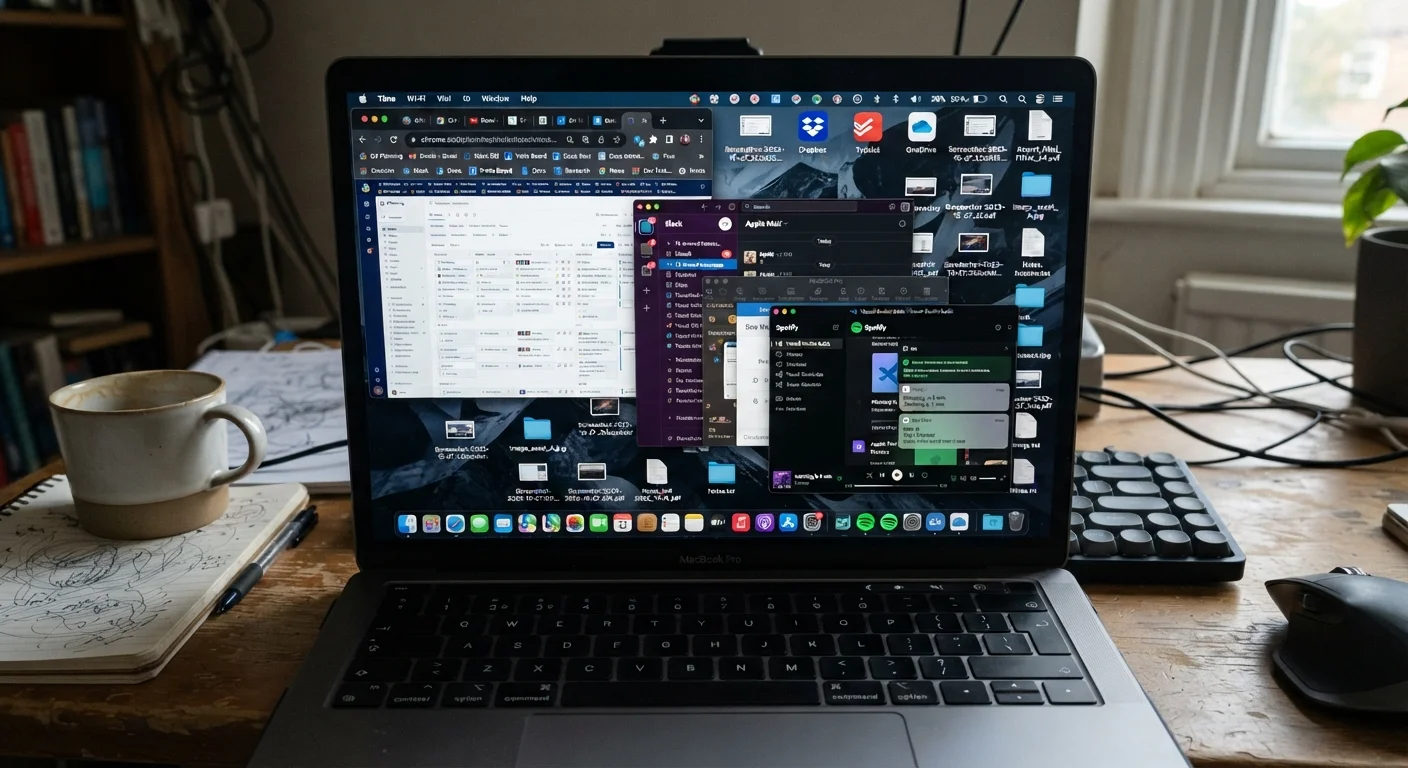
Key Takeaways
- Devices slow down due to a combination of software, storage, and hardware factors - not age alone.
- Background app activity and cached data consume RAM and processor cycles even when you're not actively using apps.
- Storage fragmentation and near-full drives force devices to work harder to read and write data.
- Software updates increase system demands over time, gradually outpacing older hardware.
- Understanding what causes slowdown helps you make informed decisions about device maintenance and longevity.
Digital Clutter
Digital clutter refers to the accumulation of unused apps, redundant files, cached data, background processes, and fragmented storage that builds up on a device over time. Unlike physical clutter, it's largely invisible - but its effects are very real, manifesting as slower performance, reduced storage capacity, and shorter battery life. Every device experiences some form of it, and understanding its causes is the first step toward managing it.
At the system level, digital clutter places compounding pressure on a device's CPU, RAM, and storage controller, forcing them to work harder to retrieve and process data that is increasingly disorganized or competing for the same limited resources.
What Actually Happens Inside a Slowing Device
When a device starts feeling sluggish, most people assume it's simply "getting old." The reality is more specific - and more fixable. Slowdown is typically the result of several compounding pressures on your device's hardware and operating system, many of which build up gradually through ordinary use.
At its core, your device juggles three primary resources: processing power (CPU), memory (RAM), and storage. Digital clutter affects all three. Background apps quietly consume RAM. Bloated system files and growing app caches eat into storage. And as software complexity grows, older processors strain to keep up with workloads they weren't originally designed for.
Understanding these layers - rather than treating slowdown as a single mystery - puts you in a far better position to address it. For a deeper look at how your phone's processor handles these demands, see how smartphone chips actually work.
~10-15%
Free storage recommended for optimal performance
Storage engineers and OS documentation commonly cite keeping at least 10-15% of total drive capacity free as a baseline for maintaining read/write efficiency.
500+
Charge cycles before significant battery capacity loss
Apple's published battery specifications indicate iPhone batteries are designed to retain up to 80% of original capacity at 500 complete charge cycles under normal conditions.
~30%
Of installed apps never used after first month
Research from mobile analytics firms has consistently shown that a substantial portion of downloaded apps are opened rarely or not at all after initial installation.
The Major Culprits Behind Device Slowdown
Background App Activity
Apps don't stop running the moment you close them. On both Android and iOS, many apps continue operating in the background - refreshing content, syncing data, sending notifications, and checking for updates. Each of these micro-tasks consumes RAM and CPU cycles. Individually, the impact is small; collectively, across dozens of installed apps, it adds up to meaningful performance drag.
Storage Fragmentation and Pressure
As you save, delete, and modify files over time, data becomes scattered across a storage drive in non-contiguous fragments. This forces the device's storage controller to work harder to locate and assemble information. On traditional spinning hard drives, this was a significant issue. On modern solid-state and flash storage (common in smartphones and newer laptops), fragmentation is less severe - but near-full storage still creates serious problems. When a drive approaches capacity, the operating system loses the breathing room it needs to write data efficiently and manage temporary files.
Bloatware and Pre-Installed Software
Many devices arrive pre-loaded with apps you didn't ask for and may never use - a phenomenon widely known as bloatware. Some of these apps run automatically at startup, consuming resources from the moment you power on your device. Even apps sitting dormant can receive automatic updates, occupy storage space, and occasionally trigger background processes.
Software Demands Outpacing Hardware
Operating systems and apps evolve continuously, adding features that require more processing power and memory. A smartphone purchased three years ago was designed to meet the software requirements of that era. Each major update since then has incrementally raised those requirements. This is sometimes called software bloat - and it's one of the most significant contributors to perceived slowdown on otherwise functional devices. For a broader perspective on this phenomenon, this explainer on why gadgets feel slower over time covers the full picture.
Check Which Apps Run at Startup
Both Windows and macOS allow you to review and disable apps that launch automatically when your device starts. Reducing the number of startup programs is one of the most effective ways to improve boot times and free up RAM for the tasks you actually care about. On smartphones, reviewing background app refresh settings achieves a similar result.
Battery Degradation and Its Hidden Performance Role
One often-overlooked factor in device slowdown is battery health. Lithium-ion batteries - the standard in smartphones, laptops, and tablets - gradually lose their ability to hold a charge through repeated charge cycles. As a battery degrades, it becomes less capable of delivering the peak power bursts that high-performance tasks demand.
To protect against unexpected shutdowns, both major mobile operating systems have built-in mechanisms that throttle CPU performance when battery health drops below certain thresholds. This is a deliberate engineering decision, not a malfunction - but it means a degraded battery can directly translate to a slower-feeling device, even if the rest of the hardware is in good shape.
Battery Health Is Measurable
iPhones running iOS 11.3 or later include a Battery Health section in Settings that shows remaining capacity as a percentage. Many Android devices offer similar diagnostics through their settings menu or built-in device care tools. Knowing your battery's current health can help explain performance changes and inform decisions about servicing or replacement.
Habits around charging, storage, and software management have a measurable impact on how long a device stays performant. The guide to gadget longevity habits explores practical approaches to slowing down this degradation curve.
Behavioral Patterns That Accelerate Clutter
Hardware and software account for much of the slowdown story, but user behavior plays a meaningful role too. Certain common habits quietly accelerate the accumulation of digital clutter:
- Never restarting devices: Restarting clears temporary files and resets background processes. Devices left running continuously for weeks accumulate more memory pressure over time.
- Ignoring storage warnings: Continuing to add photos, videos, and apps after receiving low-storage alerts forces the operating system into increasingly inefficient storage management.
- Accumulating redundant files: Duplicate photos, downloaded documents never deleted, and multiple versions of the same file all consume space without providing ongoing value.
- Auto-downloading media in messaging apps: Many messaging platforms automatically save received photos and videos to local storage. This can generate gigabytes of files with no active decision made by the user.
None of these habits are careless - they're simply the natural result of using a device without a maintenance mindset. Staying aware of them is what makes the difference between a device that ages gracefully and one that feels worn out ahead of its time. For related context on how overlooked digital habits affect other experiences, see what quietly drains your streaming experience.