

Key Takeaways
- The SoC is the brain of your phone, combining many specialized processors into one compact chip.
- The CPU handles general logic and app instructions; the GPU manages graphics and visual rendering.
- More CPU cores do not automatically mean a faster everyday experience - core efficiency matters more.
- Dedicated neural processing units (NPUs) power AI features like voice recognition and computational photography.
- Chip efficiency affects battery life just as much as raw performance speed.
System-on-Chip (SoC)
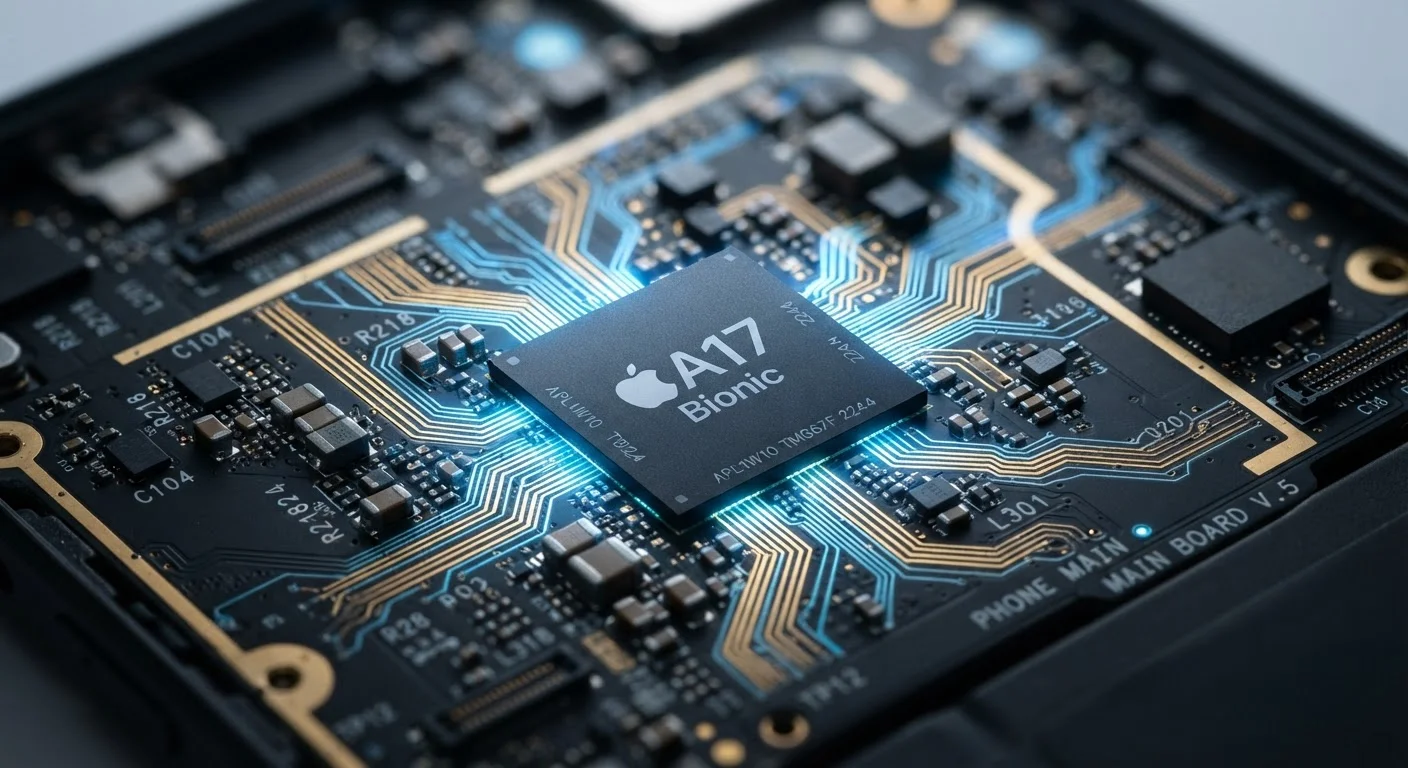
A System-on-Chip, or SoC, is the central silicon package inside a smartphone that combines multiple processing units onto a single piece of hardware. Rather than having separate chips for different tasks, the SoC bundles a CPU, GPU, memory controller, modem, and other components together. This integration is what allows modern phones to be thin, power-efficient, and responsive.
SoC designs are typically built on ARM instruction set architecture, which prioritizes energy efficiency - a critical constraint for battery-powered devices.
Why the Chip Is the Phone
When manufacturers promote a new smartphone, they often lead with screen size, camera megapixels, or battery capacity. But underneath those surface-level specs, it's the chip - the SoC - that determines what a phone can actually do and how well it does it.
Think of the SoC as a city crammed onto a single block. Instead of spreading functions across separate districts, every essential service - computing, graphics, memory management, wireless communication - is built into one tightly integrated package. That integration is not just a space-saving trick; it's what enables the low power draw and rapid data transfer speeds that modern smartphones depend on.
Understanding what lives inside that chip demystifies a lot of smartphone marketing and helps consumers make sense of the numbers that actually matter. It also connects directly to questions like why phones slow down over time - a topic explored in our piece on what drives device slowdowns.
The CPU: General-Purpose Thinking
The CPU (Central Processing Unit) is the part of the SoC responsible for executing the instructions that run applications and the operating system. Every time you open an app, send a message, or load a webpage, the CPU is processing the logic behind those actions.
Modern smartphone CPUs are not single processors - they are clusters of cores arranged by purpose. Most current designs use a big.LITTLE or similar architecture, pairing high-performance cores (used for demanding tasks) with high-efficiency cores (used for light tasks like checking notifications). This split lets the phone conserve energy when it doesn't need full power.
~16 billion
Transistors in leading smartphone chips
Advanced SoC designs from major manufacturers have incorporated transistor counts in this range, enabling the parallelism that powers modern features.
3nm
Smallest process node in mass-produced chips
Chip foundries have moved to 3-nanometer process technology, allowing more transistors per unit area and improved energy efficiency over prior generations.
8+
Processing engines typically inside one SoC
A modern smartphone SoC typically includes a CPU, GPU, NPU, ISP, modem, memory controller, and multiple other specialized blocks - all on a single die.
Raw clock speed - measured in gigahertz (GHz) - is often cited in specs, but it's an incomplete metric. What matters more is how much useful work a core can complete per clock cycle, a measure known as IPC (instructions per cycle). A chip with a higher IPC can outperform a faster-clocked chip in real-world use.
The GPU: Visual Computing at Scale
The GPU (Graphics Processing Unit) is purpose-built for parallel computation - executing thousands of smaller calculations simultaneously rather than handling a few complex ones in sequence like the CPU does. This architecture makes it ideal for rendering graphics, video frames, and the animations in every swipe and scroll you perform.
In gaming, the GPU's capability determines how smoothly complex 3D environments render at high frame rates. This is one reason chip performance matters so much for portable gaming hardware - a topic covered in detail in our article on gaming handheld trade-offs.
Beyond gaming, the GPU increasingly assists with video encoding, image processing, and augmented reality features. The line between GPU work and other processing units has blurred as phone cameras have grown more sophisticated.
Don't Judge GPU Performance by Game Frame Rate Alone
GPU capability also affects the smoothness of everyday UI interactions - transitions, scrolling, and multitasking animations. A phone with a weaker GPU may feel sluggish even when not running a game. If you notice janky animations on a device, the GPU is often a contributing factor, not just app bloat or storage.
Beyond CPU and GPU: The Other Engines Inside
A modern SoC contains several additional specialized processors that rarely get mentioned in marketing but drive some of the most visible features consumers use daily.
- Neural Processing Unit (NPU): Handles machine learning inference on-device - powering features like face unlock, voice recognition, and real-time translation without sending data to a remote server.
- Image Signal Processor (ISP): Manages the computational work behind every photo. HDR merging, noise reduction, and depth detection all run through the ISP. The chip's ISP capability is a major factor in camera output quality, beyond what the lens alone can achieve - something worth keeping in mind when reading our guide on built-in camera settings.
- Modem: Controls wireless connectivity - 5G, LTE, Wi-Fi, and Bluetooth. In many SoCs, the modem is now integrated directly rather than sitting as a separate component.
On-Device vs. Cloud Processing
Many AI-powered phone features can run either locally (on the SoC's NPU) or via a remote server. Local processing is generally faster for simple queries and better for privacy since data never leaves the device. Cloud processing is used when tasks exceed local chip capability - such as complex generative AI responses. Whether a feature runs on-device or remotely depends on both the chip's capabilities and how the app is designed.
The shift toward more specialized processing engines reflects a broader industry trend: general-purpose computing is giving way to purpose-built silicon for specific workloads. This is part of the same momentum described in our overview of the shift to ARM-based chips.
What Chip Specs Actually Signal About Real-World Performance
Chip specifications - process node size, core counts, clock speeds - are proxies for performance, not direct measures of it. A chip built on a smaller process node (e.g., 3nm versus 5nm) generally means more transistors per square millimeter, which translates to either higher performance, lower power consumption, or both.
For everyday users, the most practical implication is this: a well-optimized chip from a few generations ago often handles common tasks - messaging, streaming, navigation, photography - as well as the latest silicon. Diminishing returns set in quickly for typical usage patterns. Where newer chips make a more noticeable difference is in sustained performance under load, thermal management (how the phone handles heat during heavy use), and the longevity of software support.
Understanding the chip also clarifies storage-related confusion - the SoC's memory controller governs how quickly data moves between storage and active memory, which connects to the broader question of what's actually filling your phone's storage.