

Key Takeaways
- A password alone can be stolen without your knowledge; 2FA limits the damage when that happens.
- The most common 2FA methods are SMS codes, authenticator apps, and hardware security keys.
- Authenticator apps are generally more secure than SMS-based verification codes.
- Most major online services - email, banking, social media - support 2FA and allow you to enable it in account settings.
- Enabling 2FA is one of the highest-impact security steps an everyday user can take.
Two-Factor Authentication (2FA)
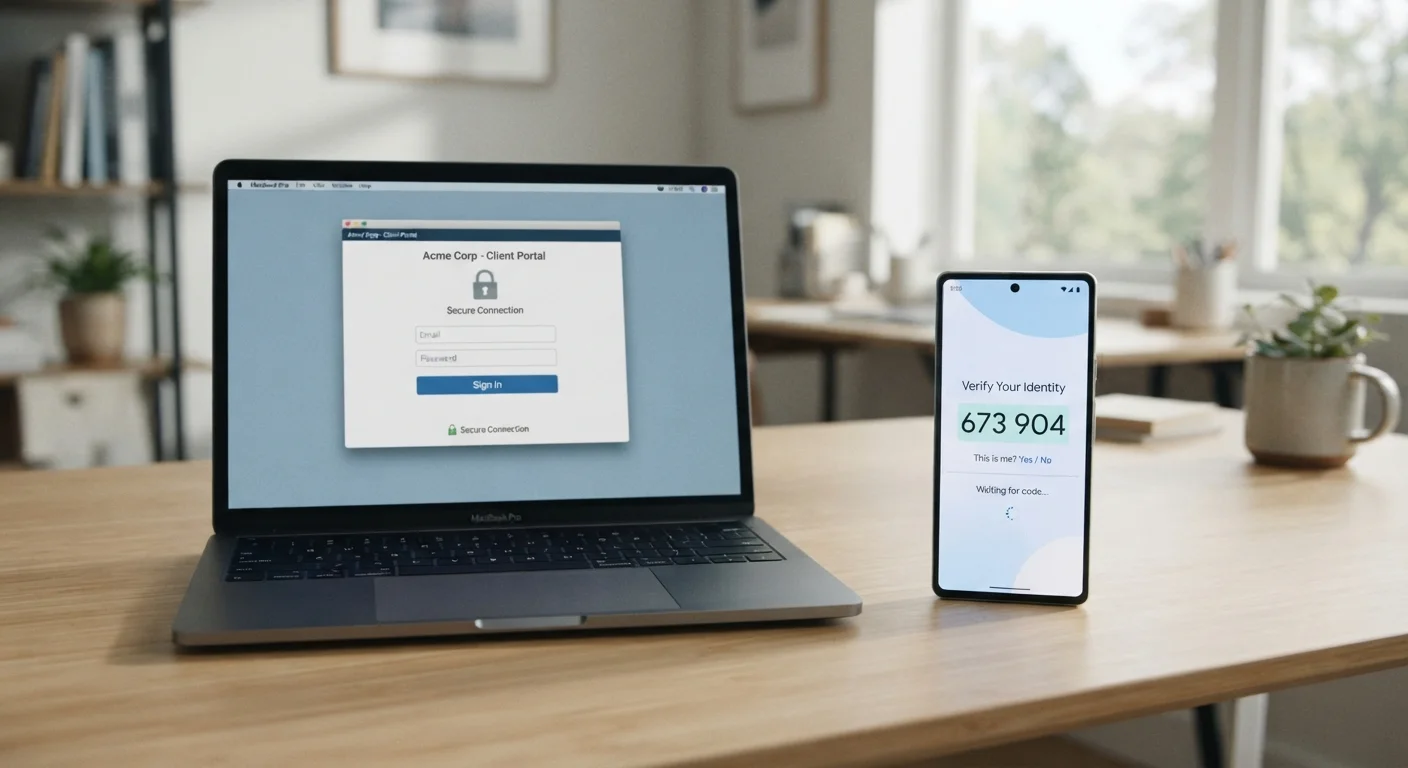
Two-factor authentication, commonly abbreviated as 2FA, is a security process that requires you to verify your identity in two separate ways before accessing an account. The first factor is typically your password; the second is something only you have access to in the moment - like a code sent to your phone or generated by an app. Together, these two steps make it significantly harder for anyone else to log into your accounts, even if they know your password.
Security frameworks classify authentication factors into three categories: something you know (password), something you have (device or token), and something you are (biometric). 2FA combines any two of these categories.
Why a Password Is No Longer Sufficient on Its Own
Passwords are the most familiar security tool most people use - but they have a fundamental weakness: once someone else knows your password, they have complete access to your account. Passwords get exposed through large-scale data breaches at companies you trust, through phishing emails that trick you into entering credentials on fake websites, and sometimes through simply being guessed.
The scale of the problem is larger than most people realize. Hundreds of millions of stolen username-and-password combinations circulate on the internet, harvested from years of breaches across thousands of services. An attacker doesn't need to target you personally - automated tools can test stolen credentials across dozens of sites in minutes. This technique, known as credential stuffing, is one reason reusing passwords across multiple accounts is especially risky.
Two-factor authentication is the most practical answer to this vulnerability. Even if your password is exposed, a second verification step blocks anyone who doesn't physically have access to your trusted device.
80%+
Of breaches involving stolen or weak credentials
Verizon's Data Breach Investigations Report has consistently found that the large majority of hacking-related breaches involve compromised credentials.
99.9%
Of automated account attacks blocked by MFA
Microsoft has publicly reported that enabling multi-factor authentication blocks over 99.9% of automated credential-stuffing and password-spray attacks against accounts.
~30%
Of US adults who use two-factor authentication
Surveys conducted by security researchers have found that adoption of 2FA among general consumers remains relatively low despite its demonstrated effectiveness.
How Two-Factor Authentication Works
The underlying principle of 2FA is straightforward: instead of proving your identity with one piece of information, you prove it with two separate pieces that come from different sources. When you log in, you enter your password as usual - then you're prompted for a second verification before access is granted.
The second factor typically takes one of three forms:
- Authenticator apps - Apps like Google Authenticator or similar tools generate a time-sensitive six-digit code that refreshes every 30 seconds. The code is generated locally on your device and never transmitted over a network until you type it in.
- SMS text messages - A code is sent to your registered phone number. This is the most widely available option but carries more risk than app-based codes because text messages can be intercepted through SIM-swapping attacks.
- Hardware security keys - A small physical device you plug into your computer or tap to your phone. These offer the strongest protection and are favored in high-security environments.
For most people, an authenticator app strikes the right balance between security and convenience. Setting one up takes only a few minutes and works with hundreds of services worldwide.
Save Your Backup Codes Before You Need Them
When you enable 2FA on any service, you'll typically be offered a set of one-time backup codes. Download or print these and keep them somewhere secure - separate from your phone. If you ever lose access to your authenticator app or SIM card, these codes are often the only way to recover your account without contacting customer support.
Where and How to Enable It
The good news is that enabling 2FA requires no special technical knowledge. On virtually every major platform - email providers, social networks, financial services, and streaming platforms - you'll find the option buried in account security or privacy settings. Search for terms like "two-factor authentication," "two-step verification," or "login verification" within your account settings.
Email accounts deserve special attention because they act as a master key: a compromised email address lets attackers reset passwords for almost everything else you own online. Protecting your inbox with 2FA should be the first step. Bank and financial accounts are equally critical targets.
For keeping track of strong, unique passwords for each service, pairing 2FA with a password manager is a well-regarded approach. See our guide to getting started with password managers for a practical introduction. And if you use your browser to save passwords, it's worth understanding the trade-offs - our article on browser autofill and saved password security covers what to watch out for.
If you're curious how 2FA compares to newer verification approaches, biometric authentication methods like Face ID and fingerprints offer a different set of trade-offs worth understanding.
“The single best thing most people can do to protect their online accounts is to turn on strong two-factor authentication wherever it's available. A password alone simply isn't a sufficient defense in today's threat environment.”
— Cybersecurity and Infrastructure Security Agency (CISA), U.S. federal agency responsible for national cybersecurity guidance