

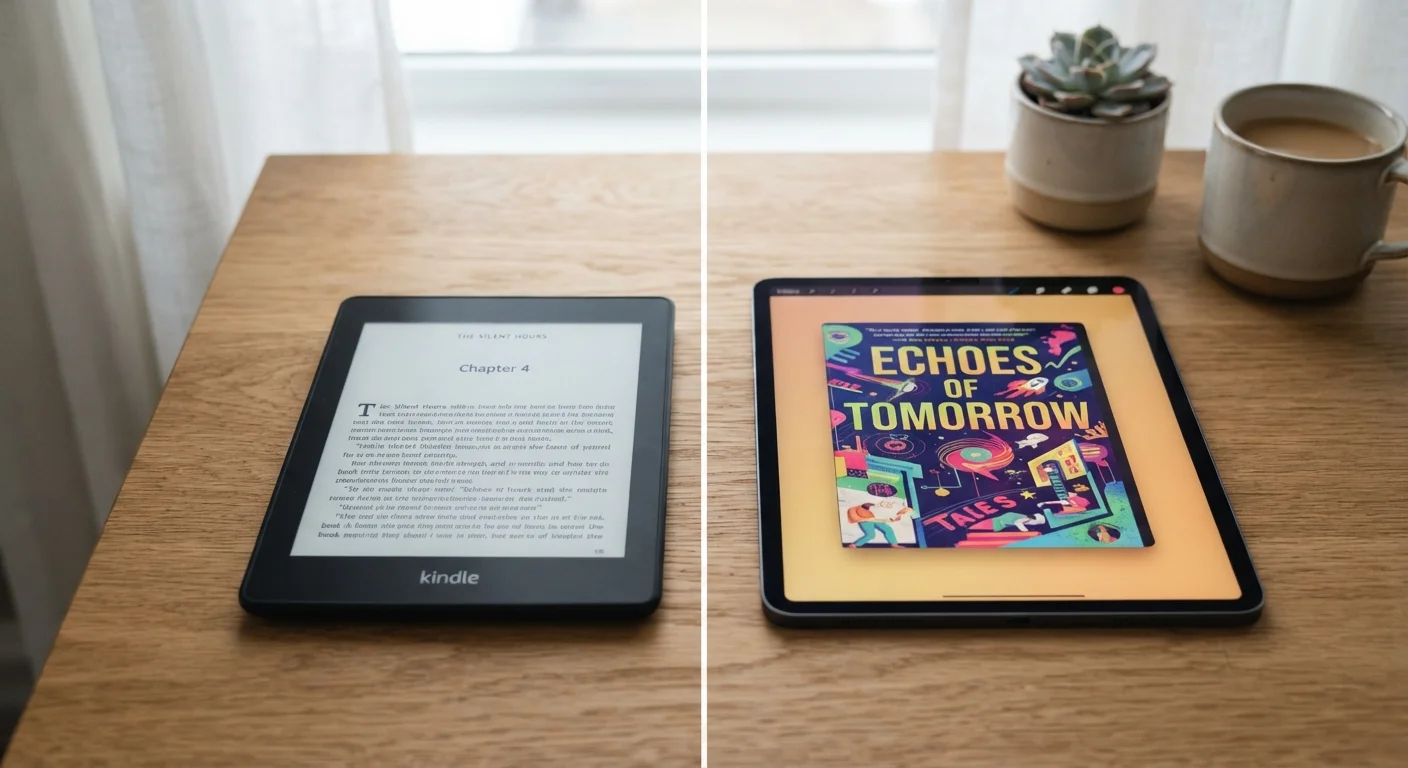
Key Takeaways
- E-ink reflects ambient light like paper; LCD emits its own backlight directly at your eyes.
- E-ink devices can last weeks on a single charge; LCD screens typically last hours.
- LCD offers full color, video, and fast refresh rates that e-ink cannot match.
- Bright sunlight favors e-ink; low-light reading can work on both with the right settings.
- Neither technology is universally superior - the right choice depends on how you read.
Option A
E-Ink
The paper-like screen built for focused reading.
Best for: Readers who prioritize eye comfort, outdoor use, and long battery life over interactivity.
Option B
LCD
The versatile backlit display for all-purpose use.
Best for: Users who want a single device for reading, streaming, browsing, and everyday tasks.
If you read for extended periods and want to reduce eye fatigue
E-Ink
E-ink's reflected light model closely mimics printed paper, which many readers find more comfortable over long sessions than a backlit LCD panel.
If you want one device for reading, video, and general use
LCD
LCD handles color media, fast-moving content, and interactive apps far better than e-ink, making it the more versatile all-purpose choice.
If you frequently read outdoors in direct sunlight
E-Ink
E-ink screens become more legible as ambient light increases, while LCD glare typically worsens in bright sun even at maximum brightness.
If you read mostly at night or in low-light environments
LCD
LCD's built-in backlight provides consistent illumination regardless of environment, though warm color temperature settings are worth using before bed.
How Each Technology Actually Works
E-ink (short for electronic ink) displays work by rearranging tiny charged particles - typically black and white - suspended in microcapsules beneath the screen surface. When voltage is applied, particles shift to form text or images. Crucially, once those particles settle, no power is needed to hold the image. The screen is essentially passive, reflecting surrounding light the way a printed page does.
LCD (liquid crystal display) screens work differently. A constant backlight - usually LED-powered - shines through layers of liquid crystals that open or close to control how much light passes through, creating the image you see. The backlight runs continuously whenever the screen is on, which is why LCDs draw considerably more power and emit direct light toward the viewer's eyes.
For a deeper look at how LCD compares to another emissive technology, see our breakdown of OLED vs. LCD displays.
| Criterion | E-Ink | LCD |
|---|---|---|
| Light source | Reflects ambient light | Emits backlight continuously |
| Battery life | Days to weeks per charge | Hours per charge |
| Sunlight readability | Excellent - improves in bright light | Moderate - glare increases |
| Refresh rate | Slow - not suited for video | Fast - handles all media types |
| Color capability | Limited (mostly grayscale) | Full vibrant color |
| Eye strain (long sessions) | Generally lower for many users | Can increase without adjustments |
| Versatility | Reading-focused only | All-purpose device |
Eye Strain, Glare, and Comfort
One of the most common reasons readers gravitate toward e-ink is comfort during long reading sessions. Because e-ink reflects ambient light rather than projecting it, the viewing experience is closer to paper - no constant photon stream aimed at your retinas. Many readers report less fatigue during multi-hour sessions, though individual sensitivity varies.
LCDs emit blue-wavelength light as part of their backlighting, which some research associates with disruption to circadian rhythms when used in the evening. Most LCD devices now offer warm-light or night-mode settings that shift the color temperature, though these are software adjustments rather than a fundamental change in how the display works. For a fact-checked look at what those features actually do, our article on dark mode and eye strain research is worth reading.
If evening screen use and sleep are a concern for you, screen time's effect on sleep is also worth understanding.
~2 weeks
Typical e-ink reader battery life
Most dedicated e-ink reading devices are rated for approximately two weeks of use between charges under moderate reading conditions.
~6-10 hrs
Typical LCD tablet battery life
Standard LCD-based tablets generally offer 6 to 10 hours of screen-on time, depending on brightness and workload.
Battery Life, Refresh Rate, and Practical Limits
The passive nature of e-ink's display mechanism delivers a dramatic battery advantage. Many e-ink readers can run for several weeks between charges under typical reading conditions, since power is only consumed when the page turns. LCD tablets, by contrast, continuously power a backlight and processor-intensive display stack, resulting in battery life measured in hours.
The tradeoff is refresh speed. E-ink screens have a noticeable lag when turning pages, and most cannot display smooth video or handle rapidly changing interfaces without ghosting artifacts. LCD screens refresh hundreds of times per second, making them equally suitable for reading, browsing, streaming, and gaming. If your use case goes beyond static text, e-ink's limitations become significant quickly.
Color e-ink panels do exist and have improved considerably, but they generally still lag behind LCD in color vibrancy and refresh performance. For most reading-focused uses, this matters less than it might for general tablet use.
Which Screen Suits Your Reading Life?
For readers who consume long-form books, articles, or documents - particularly in varied lighting conditions - e-ink delivers a focused, low-distraction experience that LCD generally cannot replicate. The absence of notifications, apps, and multimedia temptation is a feature for some users, not a flaw.
For readers who also want to highlight and annotate in complex documents, browse supplementary content, or use their device for tasks beyond reading, LCD's responsiveness and versatility are difficult to give up. A single LCD tablet can serve as a reading device, note-taker, and media player simultaneously.
If you're thinking about how device use habits fit into a broader approach to screen wellness, our piece on intentional tech use strategies offers useful framing. Ultimately, neither screen type is objectively better - the right choice depends on what, when, and where you read.