

Key Takeaways
- US public charging is split across multiple competing networks - no single app or account covers every station.
- DC fast chargers (Level 3) are best for road trips; Level 2 stations suit errands or overnight stops.
- Connector compatibility varies by vehicle; knowing your port type before you travel prevents surprises.
- Checking station status in real time reduces the risk of arriving at an out-of-service charger.
- Pricing structures differ by network - some bill per kWh, others per minute, and some require memberships.
What you will need
How the US Public Charging Landscape Works
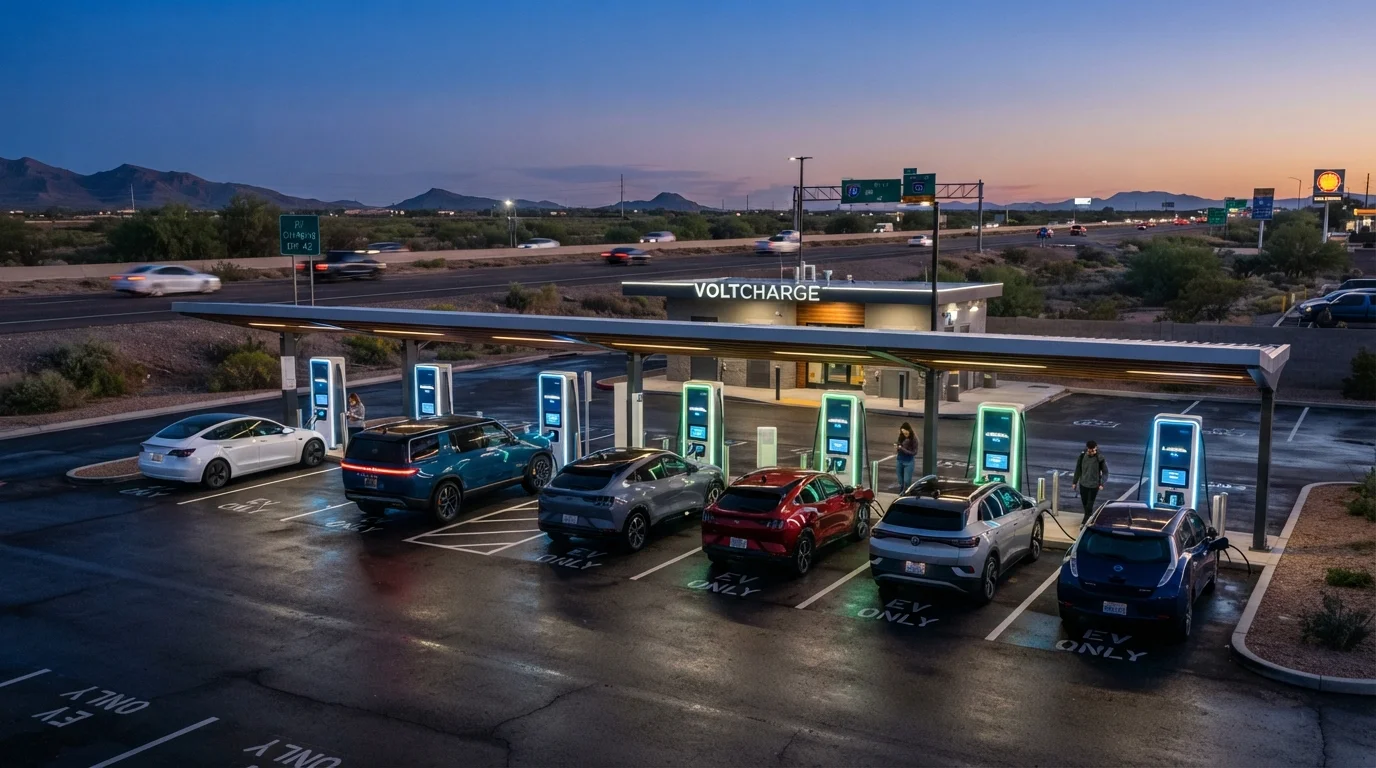
Unlike gasoline stations, which sell a standardized product through a broadly uniform infrastructure, public EV charging in the US involves multiple competing private networks, at least four distinct connector standards, and charging speeds that range from a gentle overnight trickle to a rapid highway top-up. Understanding this structure is the foundation for using it confidently.
The networks themselves - companies like ChargePoint, Electrify America, EVgo, Blink, and Tesla's Supercharger network - operate independently. Each has its own app, pricing model, and geographic footprint. Some stations are network-branded; others are privately owned and managed through a network's software platform. Coverage is strongest along major US interstate corridors and in urban and suburban markets; rural areas present a different challenge covered in our article on going electric in a rural area.
Federal investment programs have been funding expansion of charging along designated highway corridors, but buildout is ongoing and uneven by state. Knowing the current landscape - rather than assuming ubiquitous coverage - is the realistic starting point for any EV driver planning to charge away from home.
EV Network App (PlugShare, ChargePoint, or similar)
Locates nearby public charging stations, shows real-time availability, and displays connector types and pricing.
Vehicle's Built-In Navigation
Integrates battery state-of-charge with route planning to suggest charging stops automatically.
Network Membership Account(s)
Enables faster authentication at supported stations and access to member pricing tiers.
Adapter (if applicable)
Bridges connector standard gaps - for example, a NACS-to-CCS1 adapter - depending on your vehicle and target network.
Credit or Debit Card
Required for guest payment at stations that do not mandate app-based or RFID authentication.
Step-by-Step: Using Public Charging on the Road
What you will need
Connector Compatibility Matters Before You Arrive
Not every charger fits every EV. The US market currently uses several plug standards, including CCS1, CHAdeMO, NACS (Tesla's connector now opening to other brands), and J1772 for Level 2. Check your vehicle's accepted connector type before planning any charging stop. See our guide to US connector standards for a full breakdown.
Identify the Charging Networks in Your Travel Area
The US public charging landscape is fragmented across multiple independent networks - including Electrify America, ChargePoint, Blink, EVgo, and Tesla's Supercharger network (which has been progressively opening to non-Tesla vehicles). No single account or app covers every station nationwide.
Before a trip, research which networks have the densest coverage along your route. Coastal corridors and major interstates typically have more options; rural stretches can have significant gaps. Our overview of the state of US charging infrastructure provides a useful regional picture.
Determine the Charging Level You Need
Public chargers fall into two practical categories for most drivers:
- Level 2 (AC, typically 7-19 kW): Found at shopping centers, parking garages, hotels, and workplaces. Adds roughly 10-30 miles of range per hour. Best suited for stops of 1-4 hours.
- DC Fast Chargers / Level 3 (50-350+ kW): Found at dedicated charging plazas, often near highway exits. Can add 100-200+ miles in 20-45 minutes depending on your vehicle's acceptance rate and the charger's output.
For road trips, DC fast chargers are the practical choice. For errands or overnight stops at a hotel, Level 2 is often sufficient and may cost less per session.
Plan Your Charging Stops Before Departing
Use your vehicle's built-in route planner (if available) alongside a third-party app to identify charging stops. Aim to arrive at each station with no less than 10-20% state of charge remaining - this provides a buffer for unexpected detours, slower-than-expected charging speeds, or an out-of-service unit.
Factor in that charging speed typically slows above 80% battery capacity. Most road-trip strategies involve charging to 80% rather than 100% at intermediate stops, which is faster and better for long-term battery health.
For detailed pre-departure planning, see our EV road trip planning guide.
Authenticate and Start the Charging Session
Authentication methods vary by network and station:
- App-based: Open the network's app, locate the station, and tap to start. Most major networks support this.
- RFID card: Some networks issue physical cards that activate a charger with a tap.
- Credit/debit card: Many newer stations have integrated card readers for guest access without an account.
- Plug-and-charge (ISO 15118): A growing number of vehicles and stations support automatic authentication the moment the cable is connected - no app required.
If a station fails to start, check the network's app for reported outages, try a different connector on the same unit if available, and contact the network's customer support number (usually printed on the unit) before moving to your backup station.
Monitor the Session and Understand Pricing
Pricing structures across US networks are not standardized. You may encounter:
- Per-kWh billing: You pay for the energy delivered - the most straightforward model.
- Per-minute billing: Cost depends on time connected, not energy received - slower charging rates can make this more expensive per mile added.
- Session fees: A flat connection charge added on top of energy or time costs.
- Idle fees: Charged if you remain plugged in after the session completes, designed to free up occupied stalls.
Monitor your session through the network's app. Most apps show energy delivered, estimated time to your target charge level, and running cost. Review our public charging etiquette guide for shared-space norms that make stations work better for everyone.
End the Session and Check Your Range Projection
Stop the session through the app or the physical stop button on the unit before unplugging - disconnecting without ending the session can cause billing errors on some networks. Coil the cable back neatly into the holster.
After plugging back in, review your vehicle's updated range estimate before pulling out of the stall. Note that this figure can shift during the drive based on speed, climate control use, elevation, and weather. Our article on why arrival charge estimates change mid-trip explains the variables behind that number.
Membership Accounts Can Reduce Per-Session Costs
Many networks offer free membership tiers that unlock lower per-kWh or per-minute rates compared to guest pricing. Creating accounts with the two or three networks most common along your regular routes takes only a few minutes and can meaningfully reduce what you pay over time. Review our cost comparison of home vs. public charging to understand how pricing structures differ.
Real-Time Status Isn't Always Accurate
Apps and in-car navigation can show a station as available when chargers are actually offline or occupied. Network reliability varies significantly by provider and region. Where possible, cross-reference two sources - your vehicle's built-in navigation and a third-party app - and have a backup station identified before you depart.
If you primarily charge at home and only use public infrastructure occasionally, the learning curve flattens quickly after your first few stops. Drivers who rely more heavily on public charging - particularly those in apartments or condos - will benefit from our guide to EV charging in multi-unit housing as a complement to on-the-road strategies.
For context on how the broader infrastructure continues to develop, see our overview of grid readiness for mass EV adoption.