

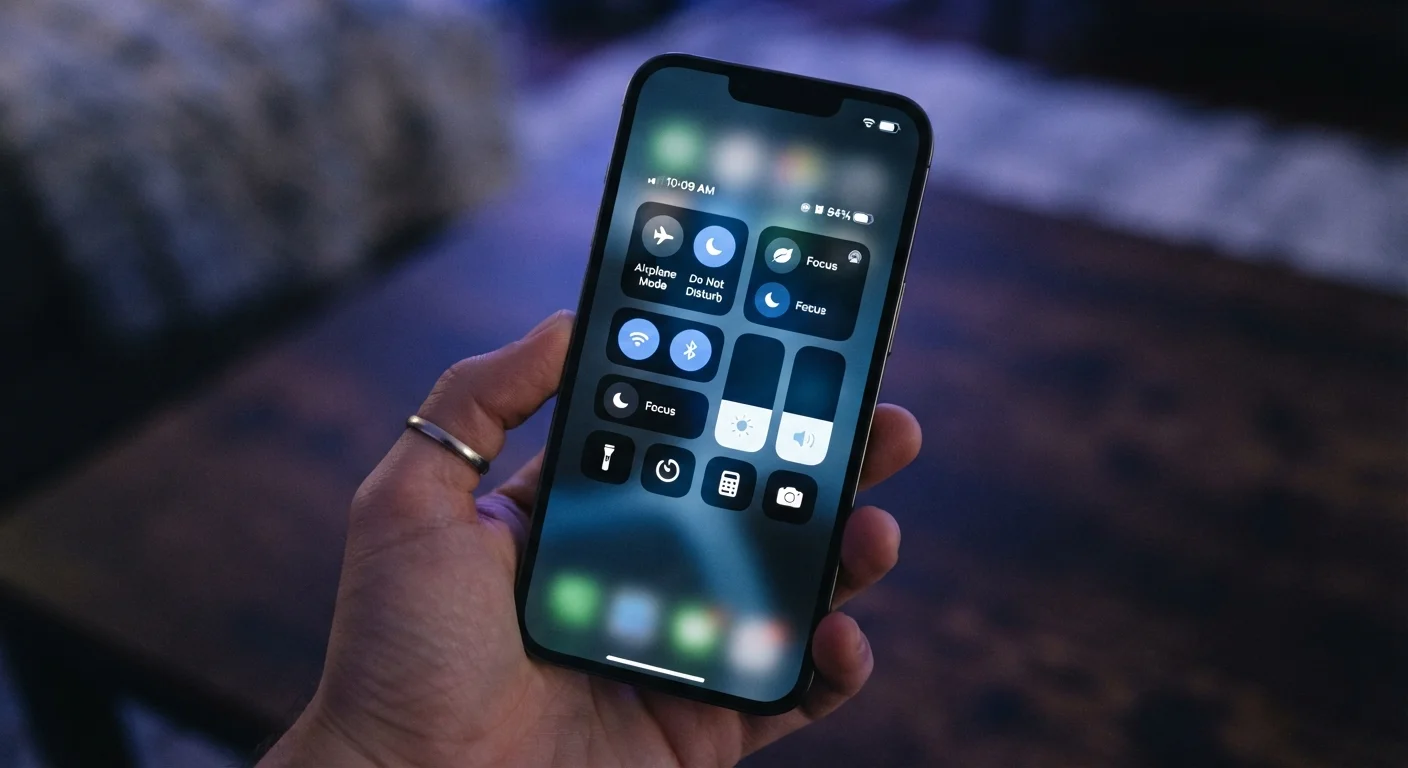
Key Takeaways
- Airplane Mode cuts all wireless signals entirely, including cellular, Wi-Fi, and Bluetooth.
- Do Not Disturb silences notifications and calls without disconnecting you from networks.
- Focus Modes let you filter which apps and contacts can reach you based on context.
- None of these settings are interchangeable - each serves a specific and different purpose.
- Understanding each option helps you control interruptions without losing necessary connectivity.
Our Verdict
Airplane Mode, Do Not Disturb, and Focus Modes each operate at a different layer of your device. Airplane Mode is a connectivity switch, Do Not Disturb is a notification filter, and Focus Modes are context-aware customization tools. Choosing the right one depends on whether you need to cut signals, reduce interruptions, or tailor access by situation.
| Best for | Recommended |
|---|---|
| Flights, medical facilities, or preserving battery with no connectivity needed | Airplane Mode |
| Sleeping, meetings, or any time you need blanket notification silence | Do Not Disturb |
| Work blocks, workouts, or personal time requiring selective access | Focus Modes |
Why These Three Settings Get Confused
Most people reach for whichever setting seems quietest when they want fewer interruptions. But Airplane Mode, Do Not Disturb, and Focus Modes work at entirely different levels of your device - and using the wrong one can leave you either unreachable when you shouldn't be, or still getting pinged when you thought you weren't.
The confusion is understandable. All three reduce distractions in some way. But the mechanism behind each one is fundamentally different, and so are the consequences of turning them on. This guide maps out exactly what each setting does, what it doesn't do, and when each one is actually the right tool.
| Airplane Mode | Do Not Disturb | Focus Modes | |
|---|---|---|---|
| Disconnects cellular signal | Yes | No | No |
| Disconnects Wi-Fi | Yes (can re-enable) | No | No |
| Silences notifications | Yes | Yes | Selectively |
| Allows exceptions by contact | No | Limited | Yes, fully customizable |
| Can be scheduled automatically | No | Yes | Yes |
| Best use case | Flights, battery saving | Sleep, meetings | Work/personal context switching |
Airplane Mode: A Total Wireless Shutoff
Airplane Mode does one thing comprehensively: it disables all wireless radios on your device. That includes cellular (calls, texts, mobile data), Wi-Fi, Bluetooth, GPS, and NFC. When it's on, your phone is essentially a standalone device with no external connections.
The name comes from its original purpose - aviation regulations historically required passengers to disable transmitting electronics during flights. While many airlines now allow Wi-Fi use in flight, Airplane Mode remains the standard starting point because it disables everything at once.
Importantly, you can manually re-enable Wi-Fi or Bluetooth while Airplane Mode is active on most devices. This is useful on aircraft that offer in-flight Wi-Fi, or when you want to use wireless headphones without any cellular signal active.
Re-Enable Wi-Fi Inside Airplane Mode
On both iOS and Android, you can turn Wi-Fi back on manually after activating Airplane Mode. This is particularly useful on flights with in-flight Wi-Fi or when using Bluetooth accessories. Your cellular radio stays off while Wi-Fi operates independently.
Airplane Mode is also worth knowing as a battery-preservation tool. Because your phone constantly searches for cellular signal in low-coverage areas, enabling Airplane Mode in places with no service can meaningfully slow battery drain.
Do Not Disturb: Silence Without Disconnection
Do Not Disturb leaves your network connections fully intact. Your phone still receives calls, messages, emails, and app notifications - it just doesn't alert you to them. Screens stay dark, sounds are muted, and haptic buzzes are suppressed. You remain reachable; you just won't be interrupted in real time.
Most implementations include an override option for repeated calls, typically allowing a second call from the same number within a few minutes to ring through. This is a deliberate safety valve - in genuine emergencies, persistent callers can still reach you even when the setting is active.
Do Not Disturb is generally the right setting for sleep, meetings, movies, or any scenario where you want uninterrupted time but still need to be available after the fact. It doesn't affect your device's network behavior at all. For a broader look at managing device behavior, Screen Time settings offer additional controls worth understanding alongside this one.
Focus Modes: Contextual, Customizable Filtering
Focus Modes, available on iOS and in a more limited form on Android, go further than Do Not Disturb by letting you define which contacts and apps can break through the silence - and which cannot. Rather than a binary on/off, Focus Modes are profiles you configure for specific contexts: Work, Personal, Sleep, Fitness, or custom modes you name yourself.
During a Work Focus, for example, you might allow calls from colleagues and alerts from your calendar app while blocking social media notifications entirely. During a Personal Focus, the reverse might apply. Apps on your home screen can even be filtered to show only what's relevant to each mode.
Focus Modes can be scheduled automatically, triggered by location, or linked to a specific app opening. They can also broadcast a status to contacts on compatible platforms, letting them know you have notifications silenced. This level of granularity makes Focus Modes substantially more powerful than Do Not Disturb for people managing distinct work and personal contexts on the same device.
Understanding your device's full range of settings - including privacy settings that often run quietly in the background - helps you build a more intentional relationship with your phone overall.
Choosing the Right Setting for the Moment
The practical decision tree is straightforward once the underlying logic is clear. If you need to cut all wireless signals - on a flight, in a medical setting, or to stop battery drain in a dead zone - Airplane Mode is the correct tool. If you simply want uninterrupted time but need to remain connected and reachable afterward, Do Not Disturb handles that cleanly. If you need selective access - some people and apps can reach you, others cannot - Focus Modes are built for that purpose.
These settings also stack in useful ways. You can enable Do Not Disturb while on Airplane Mode (for complete silence and signal cutoff), or schedule Focus Modes that activate automatically so you don't have to remember to toggle anything manually.
None of these settings affect sound output for media you're actively playing, which surprises some users. A podcast keeps playing; a video call you're on continues. They control what the device initiates on its own - not what you've actively chosen to engage with.
For those also exploring physical ways to reduce audio distraction, how noise-canceling headphones work pairs well as a companion topic - blocking environmental sound while these settings manage digital interruptions.